
Recupero dati
A volte capita che dei fattori avversi oppure un errore da parte di un utente possano compromettere l’integrità dei dati. Dei programmi difettosi e con dei bug potrebbero corrompere il filesystem o la tabella di allocazione dei file, può succedere anche che il disco rigido si guasti. Per questi motivi è indispensabile salvare le informazioni più importanti su più dispositivi diversi: supporto ottici, hard disc esterni, penne usb.
Quando oramai i buoi sono fuggiti, rimane la speranza di poter recuperare i dati con degli strumenti ausiliari.
Recupero fotografie
Il miglior programma per recuperare delle immagini jpeg (formato per memorizzare le fotografie digitali) è Digital Photo Recovery. L’uso di questo software è semplice e i risultati sono veramente eccellenti questo anche perché è specializzato nel ripristino di fotografie. Lo si può adoperare per leggere schede di memoria dove sono stati cancellati i dati oppure per scandire un disco rigido anche se le immagini erano state definitivamente cancellate.
Recupero file e altri dati cancellati
Per recuperare dati e file cancellati per errore e non più presenti nel cestino del sistema operativo si può adoperare Easy Recovery di Ontrack o Stellar Phoenix. Questo programma è a pagamento. La versione di prova esegue la ricerca e mostra quali file possono essere ripristinati, mentre per il recupero bisogna acquistare la licenza.
Per Linux si può usare Recover (http://recover.sourceforge.net/linux/recover) o FindFile (http://www.vanheusden.com/findfile/).
Recuperare partizioni
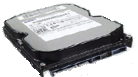 A volte capita che delle partizioni non siano più accessibili per vari motivi tra cui malfunzionamento del disco rigido o programmi che corrompono il filesystem o la tabella dove ci sono gli indirizzi dei file. Nel caso di problemi hardware, si può provare a fare una clonazione del disco collegandolo come slave. Avviare un computer col suo hard disc e copiare i file usando strumenti come dd o simili.
Usando la distribuzione Linux Knoppix sono disponibili i programmi:dd, dd_rescue, TestDisk (http://www.cgsecurity.org/wiki/TestDisk) e PhotoRec (http://www.cgsecurity.org/wiki/PhotoRec).
Sebbene si possa usare dd, è meglio usare un altro programma che permette di risparmiare tempo perché il primo strumento è alquanto lento.
Scaricare ddrescue (se non presente) da: http://ftp.gnu.org/gnu/ddrescue/
Estrarre i file:
tar xjf ddrescue-1.6.tar.bz2
Accedere alla cartella appena creata:
cd ddrescue-1.6
Lanciare il file per la configurazione e compilare:
./configure && make
Per esaminare i possibili file da recuperare e creare un log::
./ddrescue -n /dev/old_disk /dev/new_disk rescued.log
Per effettuare il recupero dei dati:
./ddrescue -r 1 /dev/old_disk /dev/new_disk rescued.log
Per aggiustare filesystem corrotti si può adoperare TestDisk che è capace di recuperare partizioni perse di formato: BSD disklabel, ext2 e ext3, Linux RAID md 0.9/1.0/1.1/1.2, Linux Swap, LVM and LVM2, NTFS, ReiserFS 3.5, 3.6 e 4, FAT12, FAT16 e FAT32.
TestDisk (disponibile anche sia per Windows sia per Linux) è in grado di risolvere problemi con file immagine come quelli usati da QEMU. Per operare su uno di questi:
testdisk /home/user/immagine.img
Quando anche con questi tool non si riesce a recuperare ci si può rivolgere ad una azienda di recupero dati professionali come Vogon o Ontrack.
Un pensiero riguardo “Recupero dati”
I commenti sono chiusi.

In caso di problematiche di natura logica o meccanica su server e controller raid non affidatevi al caso, affidatevi a professionisti del settore dotati di un laboratorio professionale di recupero dati con tutti i tools hardware di ultima generazione, affidatevi a recupero dati server. Preventivo gratuito in 4 ore e garanzia no pay no cost ovvero pagamento sicuro solo ad esito positivo dei dati recuperati!